
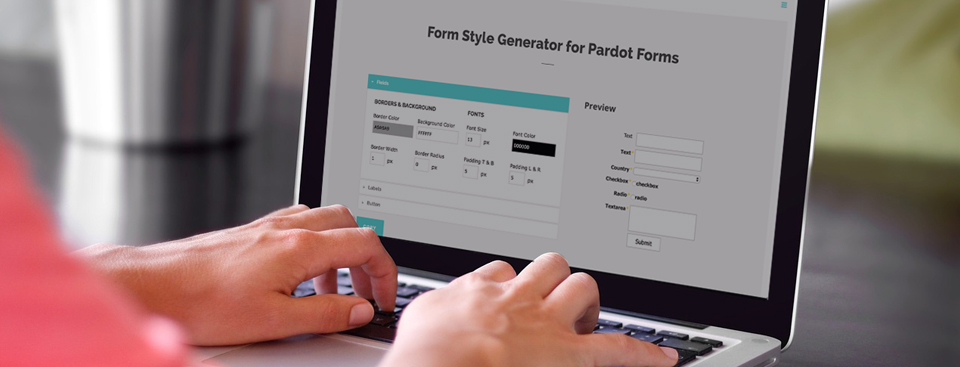
Easily style and customize your Pardot lead forms by using this Form Style Generator for Pardot Forms. With only a couple of clicks you can customize every aspect of your Pardot form including: button color, label positioning and text color, no coding required.
How it Works
1. Create a new form in Pardot
The form style generator will pull in the default styles.
2. Go to the Style Generator
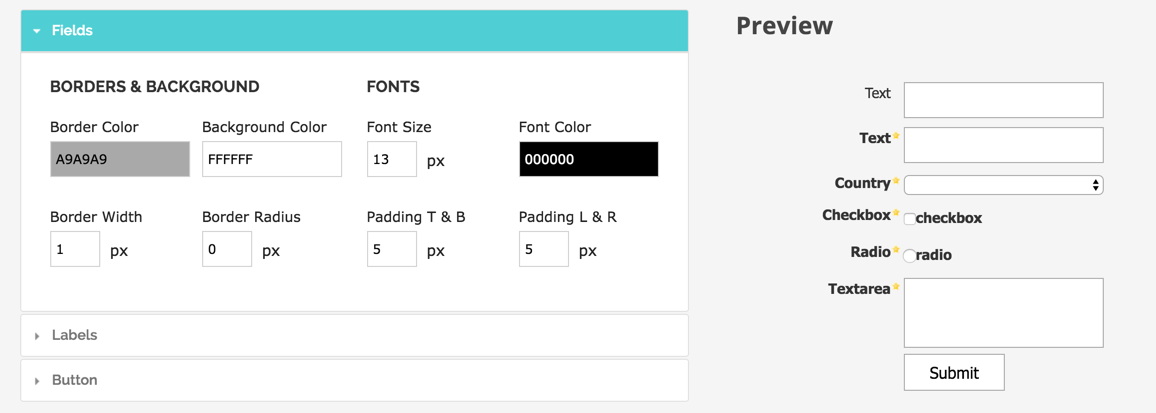
Customize the look of your form using the fields on the left side. A preview of your form will show on the right side.
3. Copy the CSS
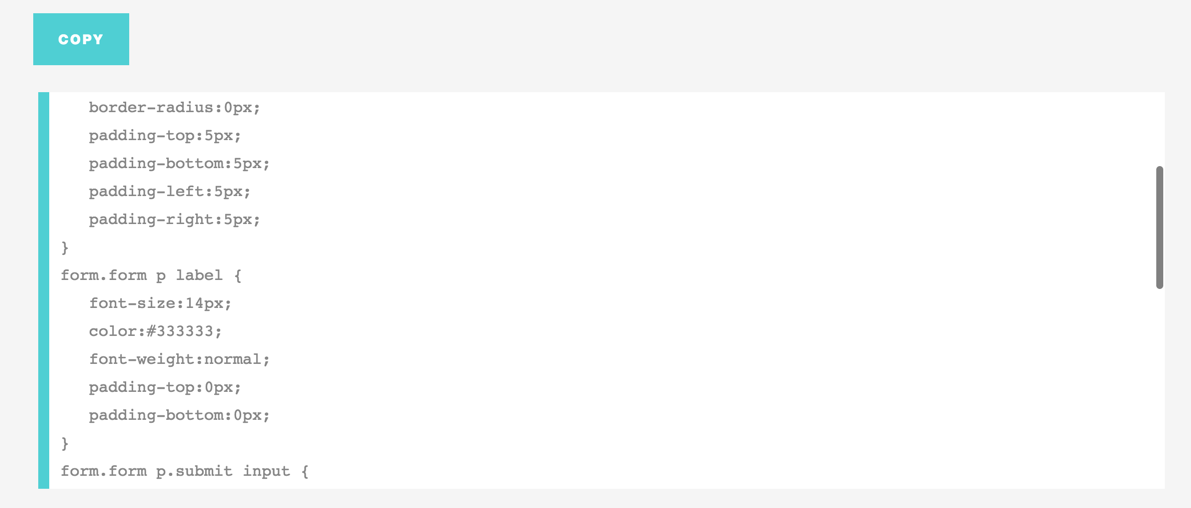
Copy the CSS that is generated and navigate to your Pardot form.
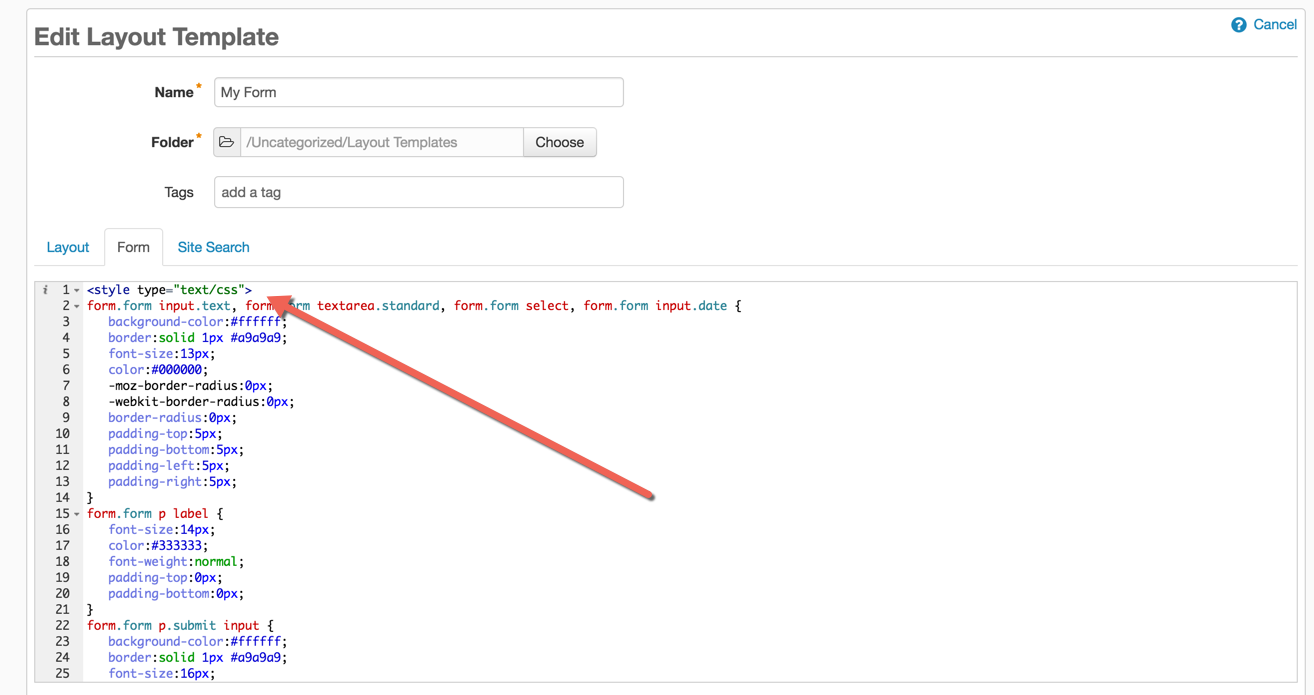
4. Paste the CSS into your Pardot form layout template
Navigate to Marketing > Forms > Layout Templates and select the layout to add the form styles to. Paste the CSS right above the existing code of the Form tab and save.
Questions?
Send them to me via email, send me a tweet @jennamolby, or leave a comment

41 Comments
This is wonderful! I created the form using your generator and it looks correct in Pardot. However, when I insert the form into my landing page, the form doesn’t have the styling applied. The form itself looks correct when I look at the preview, but when added to the landing page, it does not. Any tips?
Hi Stacy, Where is the CSS for the form placed? My guess is that your form and your landing page are using different layout templates. If so, the CSS should go in the layout template that the landing page uses. Hope that helps! Cheers, Jenna
This is amazing! Is there a way to set a background colour across the whole form? Not the labels?
Thank you! Not from within the editor, but you can add the CSS like this #pardot-form {background-color:Red;}. Cheers, Jenna
Terrific article! The form looks as I styled it in the preview, but when I add it to the landing page, the formatting disappers. Any tips?
http://go.fluencecorp.com/scaricacatalogo
thanks!
Hi Laura, Thank you! Try added the CSS to the landing page template instead. Cheers, Jenna
Hi,
Does this generator allow to add background on the form?
Hi Maddy, no it does not, but it’s easy to add. form.form {background-color:red;} Cheers, Jenna
Hi Jenna, do you know if it’s possible to target individual elements within the form, such as the ‘Opt out from all email communications’ link on the preferences pages?
Love your blog btw, super helpful 🙂
Hi Aman, Yes, you can add some additional CSS for that. I have a post on how to customize your Pardot preference page here: https://jennamolby.com/how-to-customize-your-pardot-email-preference-page/ which might help. Cheers, Jenna