

Refreshed and republished on April 13, 2021
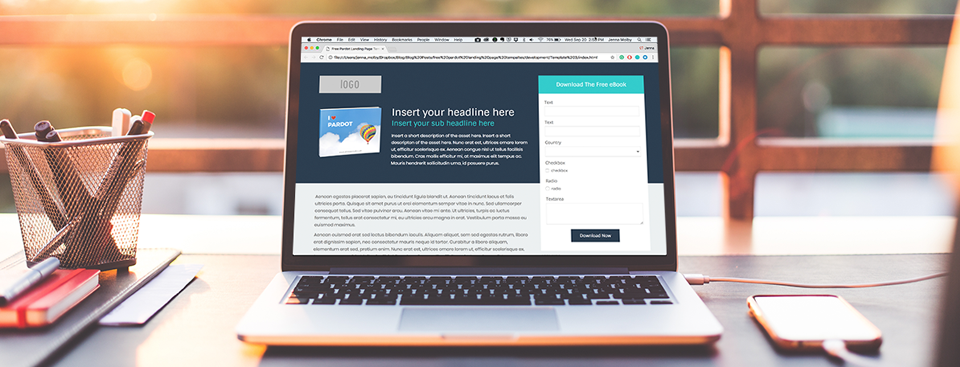
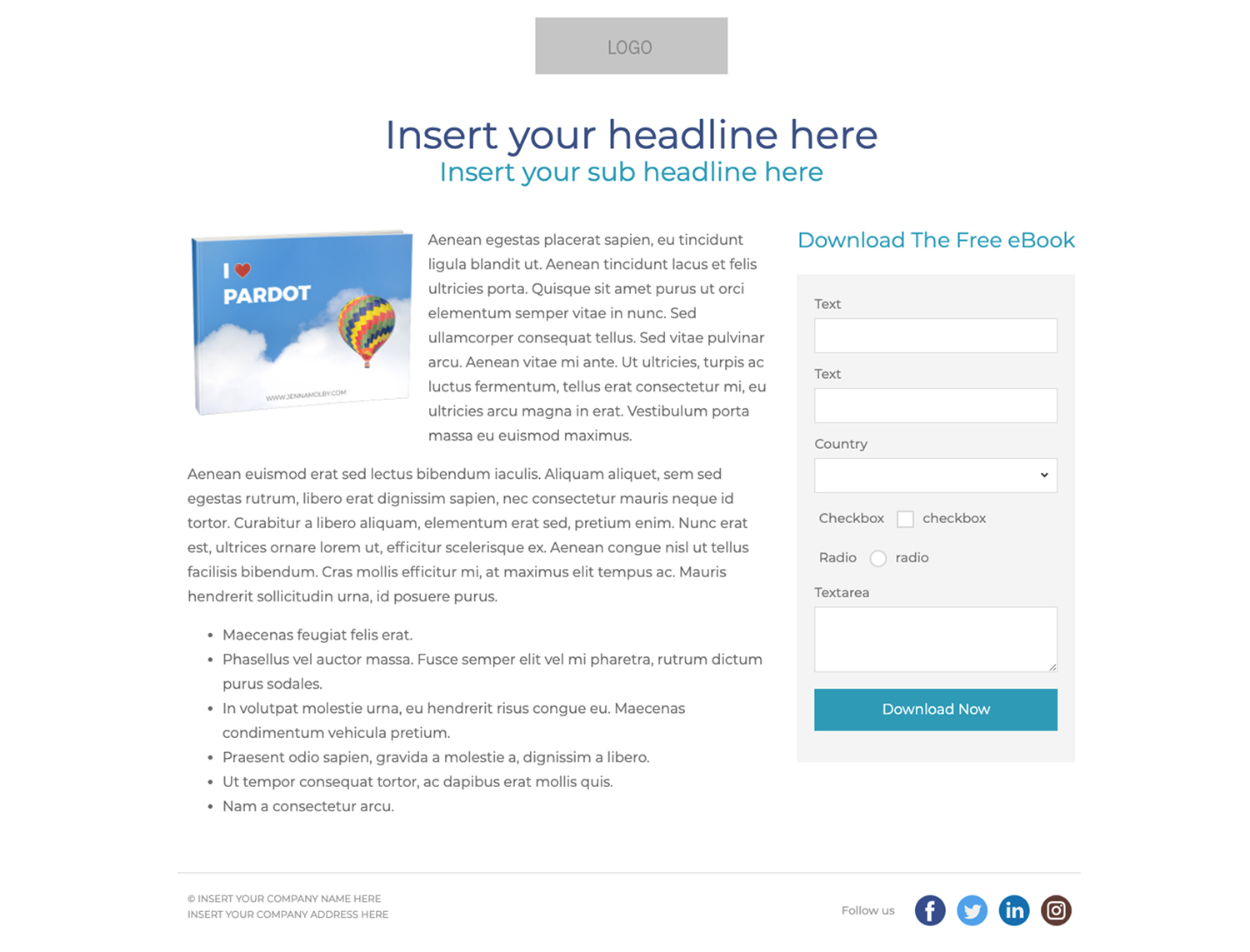
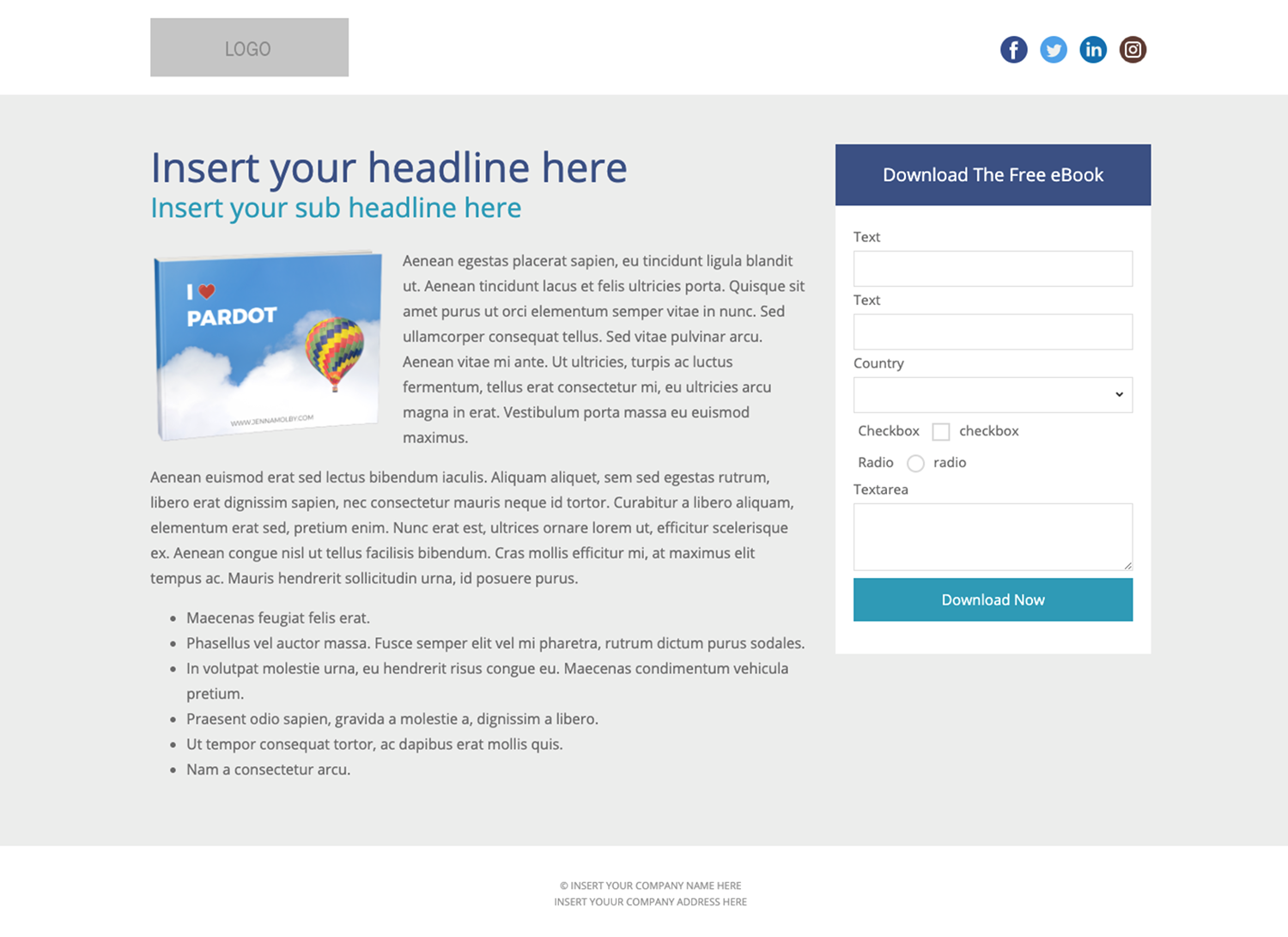
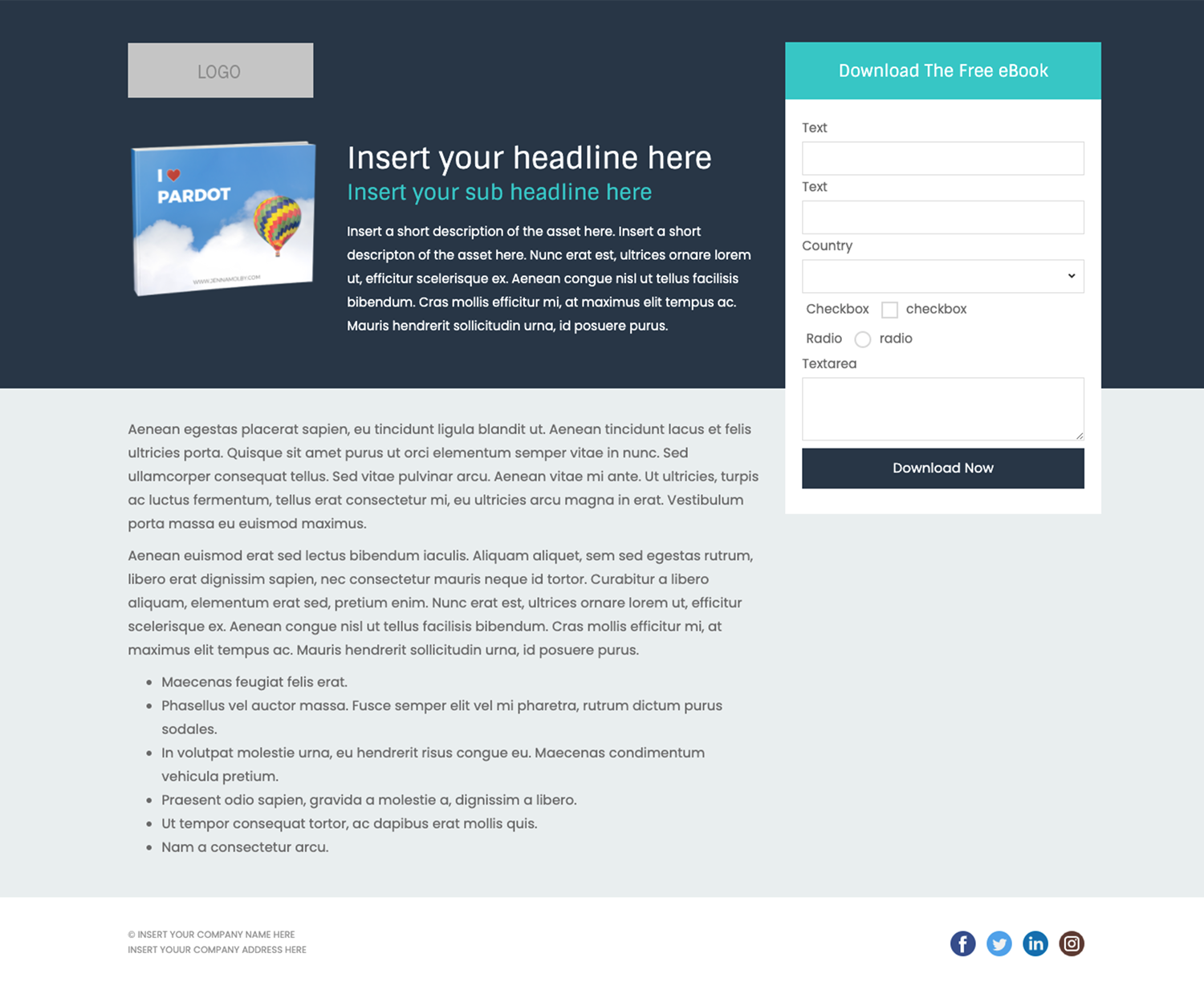
These templates were originally published on September 21, 2017 and have been refreshed.Create beautiful, responsive landing pages in Pardot by using one of these 3 free Pardot layout templates. These landing page templates are designed specifically for gated assets such as white papers and eBooks, but they will work well with any landing page that contains a form.
Terms
These templates are free for both commercial and personal projects. No attribution is required, however, if you use them I would love to see how you customize them. Share your templates with me through Twitter, email, or in the comments below.
Preview the Templates
Template 1
Template 2
Template 3
How to Use the Templates
1. Create a new layout template in Pardot (Marketing > Landing Pages > Layout Template > Add Layout Template). Give your layout template a descriptive name and add your desired tags.
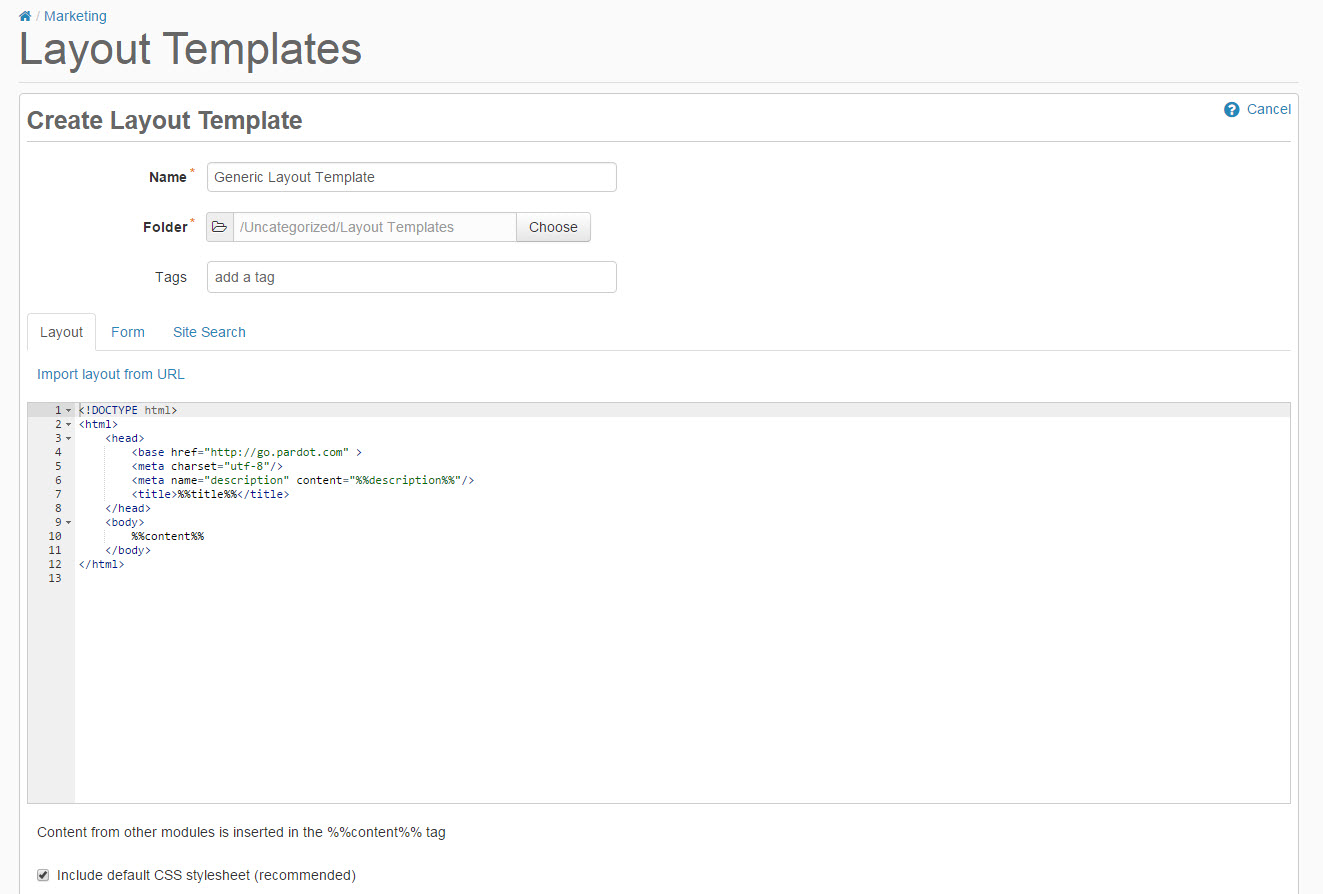
2. Copy the link to the template by clicking on one of the ‘copy link’ buttons below. This will copy the URL to your clipboard.
Template #1
Template #2
Template #3
3. Navigate to the import layout drop down and select from URL. Paste the URL to the template into the text field and click import now.

Customizing Basics
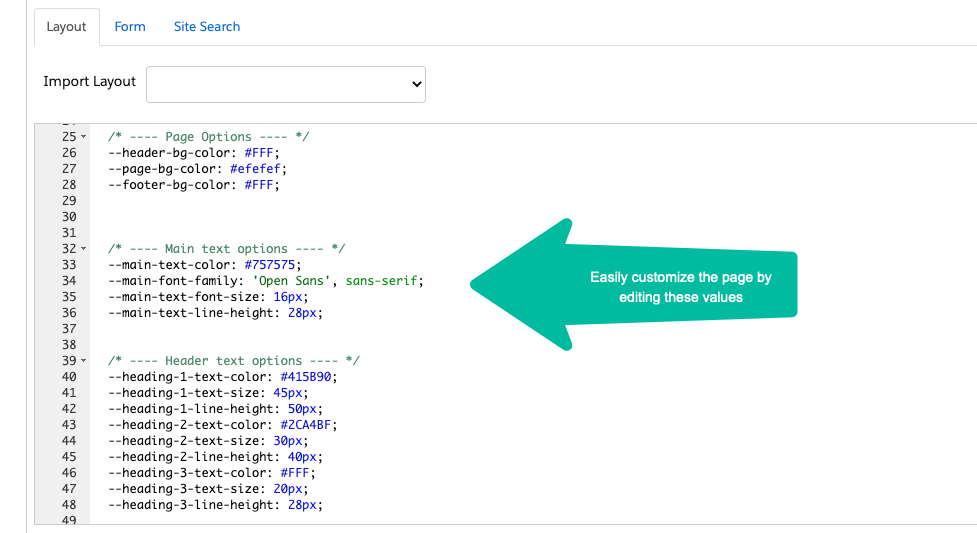
All templates use the Bootstrap Framework and use SVGs from Flat Icon for the social media icons. The CSS is directly in the template (no external CSS files are referenced other than the Bootstrap library). You can easily modify the template to meet your branding requirements by modifying the hex codes directly in the template which are commented clearly within the template file.
Questions?
Send me a tweet @jennamolby, or leave a comment below.
Looking for more Pardot Landing Page Templates?
Check out my free event templates and my premium landing page template.
Can’t find what you’re looking for? I also create custom Pardot Landing Page Templates.

53 Comments
Hi Jenna,
What a lifesaver these responsive landing page templates have been- especially since Pardot does not offer native, responsive templates out of the box.
I was wondering if/how I could implement a hero image, as opposed to color, within one of these templates? I am using a slightly tweaked version of Template 3.
Any guidance you can provide would be most helpful.
Thanks! Jessica
Hi Jessica, So happy you like the templates! Add this piece of CSS to the template to make the hero section a background image: .highlight {
background: url(https://images.pexels.com/photos/615060/pexels-photo-615060.jpeg?w=1260&h=750&dpr=2&auto=compress&cs=tinysrgb …) no-repeat center center fixed;
-webkit-background-size: cover;
-moz-background-size: cover;
-o-background-size: cover;
background-size: cover;
}
Hi Jenna,
Would really appreciate your help on this!
How could I adjust the color / font size of the error message on the form?
https://go.tpknotweed.com/RequestBrochure
Because the form is too big, once the error messages come up, the form container starts covering the footer.
Thanks a million for your help!
Hi Victor, That’s one long form! You could try a two-column form approach. Here’s a link on how to do that https://jennamolby.com/the-best-way-to-create-a-2-column-pardot-form/. Cheers, Jenna
This is awesome! Thanks for sharing. Is there a way to transform the .highlight section into an editable image pardot-region? I’d love for members on my team to harness imagery within that space.
Hi Stuart, So happy you like them! Yes, it’s possible to use a background image just add this to the CSS between the HEAD tags .highlight {
background: url(https://images.pexels.com/photos/615060/pexels-photo-615060.jpeg?w=1260&h=750&dpr=2&auto=compress&cs=tinysrgb) no-repeat center center fixed;
-webkit-background-size: cover;
-moz-background-size: cover;
-o-background-size: cover;
background-size: cover;
}
Thanks for the quick response that snippet worked like a charm. Do you happen to know of a way to make that background image an editable pardot landing page region? I keep running into an error about regions being nested when I try to add a region to the .highlight section.
Thanks for your help with this.
Thanks a lot for these LP’s, they are a lot of help. I was wondering if you knew how to take off the gold stars on the form fields when the field is required? I looked this up on a few different places but cant seem to find the right one for this landing page. Thanks for the help.
Hi Owen, Adding this CSS to your form should remove the gold star
Hi Jenna,
Thank you so much for these, they’re awesome! I have a question though. If I used one template for multiple, different landing pages, how would I specify the og:image in each individual landing page? If I would go to post these in Facebook, no image would display. Would you know of a workaround for this? Making individual templates for each landing page is not an option.
Thank you kindly!
Jen
Hi Jen, Unfortunately, there’s no easy way to do this in Pardot without going into the code each time.
Hey Jenna,
Thanks so much for sharing these landing page templates – they are awesome and have been super helpful! 😀
Here is an example of how we have re-purposed it for our company – http://go.pageuppeople.com/l/376182/2017-09-27/9c7j
There are only two things:
1. I had to update the font family for the drop down menu’s to also be “Open Sans” so that the dropdown font matched the rest of the form.
2. The copyright section doesn’t seem to be working for me. I have updated it in the layout template but it still shows your template text. Can you please let me know if you have a fix for this?
Thanks so much!
Kristin.
Hi Kristin, You’re welcome! Your landing page is looking great! Are you able to edit the text within the footer and when you click save it doesn’t save? Or is it not editable on your side at all? Thanks, Jenna
Hey Jenna,
Thanks for the reply!
I have been able to edit the text for the footer in the layout template and it has definitely saved but it just doesn’t seem to be changing for me.
The html where I changed it is here:
Thanks,
Kristin.
Very odd, but I just tested out one of your other layouts and the copyright in the footer updated perfectly (http://go.pageuppeople.com/l/376182/2017-09-27/9fwx).
Still not able to work out why the original one (http://go.pageuppeople.com/l/376182/2017-09-27/9c7j) isn’t changing the text over. It is definitely saving the replacement text, “Copyright PageUp 2017”, just fine in the layout template. It just doesn’t seem to be pushing through to the landing page that uses the template. Dang.