
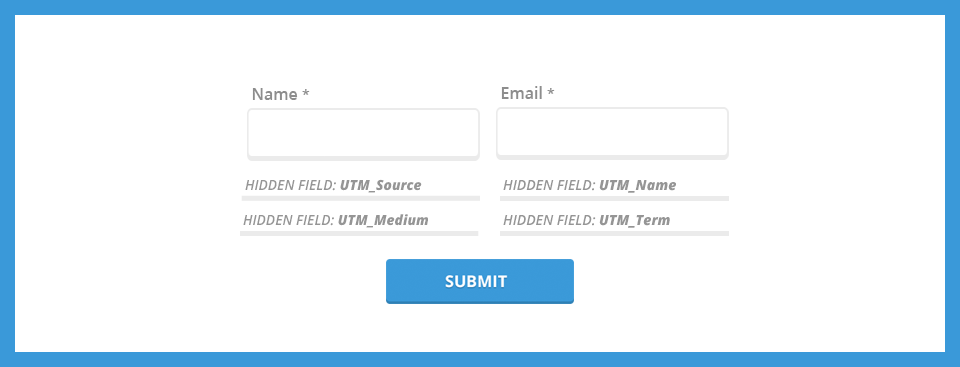
You might already be using UTM parameters to track your marketing campaigns with Google Analytics, but are you capturing that information when a lead comes into your database? Capturing this data is critical in order to assess the value of your marketing campaign and is a lead management best practice.
What are UTM Parameters?
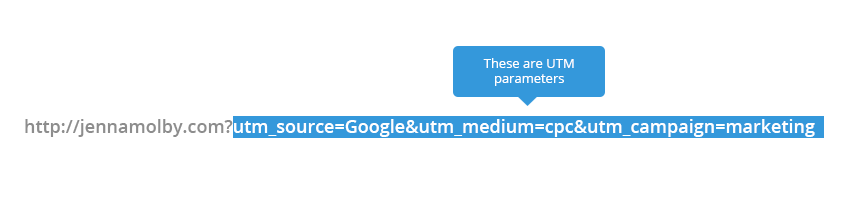
UTM parameters are tags you add to a URL. Marketers use this to be able to track the traffic from a variety of sources such as email, social media, banner ads, etc. The tags can be sent back to Google Analytics and tracked which can be used to gauge the effectiveness of campaigns and identify the best ways to drive more visitors to your website.
Create New Fields
The first thing you need to do is create 3 new fields in your Marketing database.
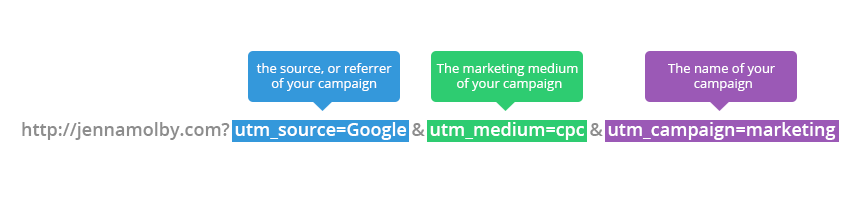
- utm_source
- utm_medium
- utm_campaign
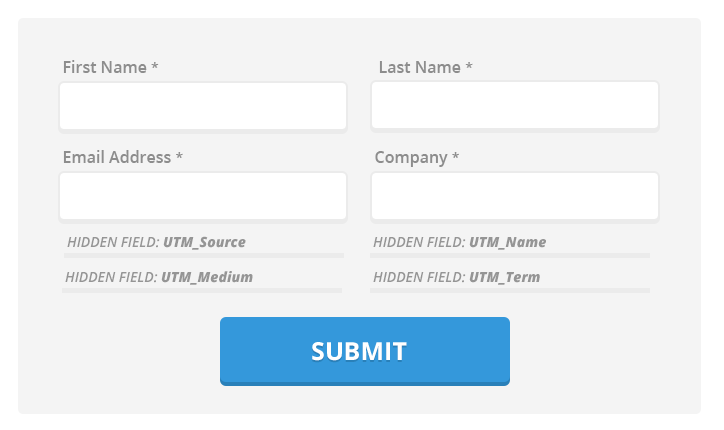
Add The New Fields to Lead Capture Form
Next, add these new fields to your lead capture form(s). Make sure they are marked as hidden fields
Add Some Code to Your Landing Page
Some javascript code will need to be added to your landing page.
// Parse the URL
function getParameterByName(name) {
    name = name.replace(/[\[]/, "\\[").replace(/[\]]/, "\\]");
    var regex = new RegExp("[\\?&]" + name + "=([^&#]*)"),
        results = regex.exec(location.search);
    return results === null ? "" : decodeURIComponent(results[1].replace(/\+/g, " "));
}
// Give the URL parameters variable names
var source = getParameterByName('utm_source');
var medium = getParameterByName('utm_medium');
var campaign = getParameterByName('utm_campaign');

// Put the variable names into the hidden fields in the form.
document.getElementsByName("utm_source").value = source;
document.getElementsByName("utm_medium").value = medium;
document.getElementsByName("utm_campaign").value = campaign;
This piece of code will parse the URL parameters and put the values into the hidden fields on your form.
Note: Some Marketing Automation platforms have an option within their form builders set the field value based on a URL parameter. If that’s the case, the javascript code will not need to be added to your landing page.
Create URLs and Test
Now you’re ready to start creating URLs and testing your form. Use this handy URL builder to create your links and then fill out the form to see if the values go into your database.
What if the lead navigates away from the landing page?
If a lead navigates away from the landing page (maybe to the ‘About’ page) and then returns to the landing page to fill out the form, the UTM information will not be captured. To capture that you need to need to use cookies. Check out my tutorial to learn how to use cookies to capture URL parameters.
Questions?
Email me, or send me a tweet @jennamolby.

23 Comments
Hey there, I found a form that automatically add UTMs to all my links inside an HTML email. (or any HTML file). I just specify the UTMs and the links I want to put these URL parameters. Cool, no ?
https://code.broker/en/tools/form-to-add-tracking-links-url-parameters-to-your-html/
Thanks a lot Jenna for all your valuable content.
I just discovered your blog some days ago, and it help a lot.
Great job
This is a great post! Love your stuff. 🙂
Hi Jenna,
Will this work with Salesforce CRM?
We are using Salesforce to track our data such as Leads, Contacts, etc.
We have integrated our website with Salesforce, so that, all the inquiries will come to salesforce as Leads, we would like to get more Quality of our Leads, how can we achieve here?
Hi Ranjith, Yes, it should work with Salesforce. The only requirement is that you have a form with hidden fields to capture the values from the URL parameter.
Thank you Jenna for making such a useful article. We have been dealing with UTM tracking for a while as well. In fact, we have a solution online that create UTM codes for you while checking that the syntax is correct. Learn more at http://ta.gl/k6SKW7