
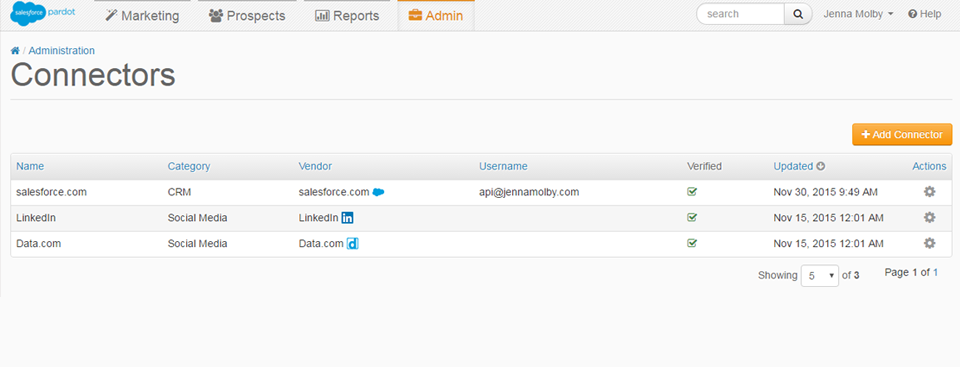
Pardot’s Salesforce connector can be used to pass data back and forth between Pardot and Salesforce. In this article, learn everything about the Salesforce connector including what objects are synced, what happens if the prospect already exists in Pardot and how Pardot and how to map Salesforce users to Pardot users.
Objects that sync from Salesforce to Pardot
- Leads
- Contacts
- Accounts
- Opportunities
- Campaigns
- Custom Objects (Not available with a Standard license)
Synced but requires mapping in Pardot
- Users
- Custom Fields
Syncing prospects from Pardot to Salesforce
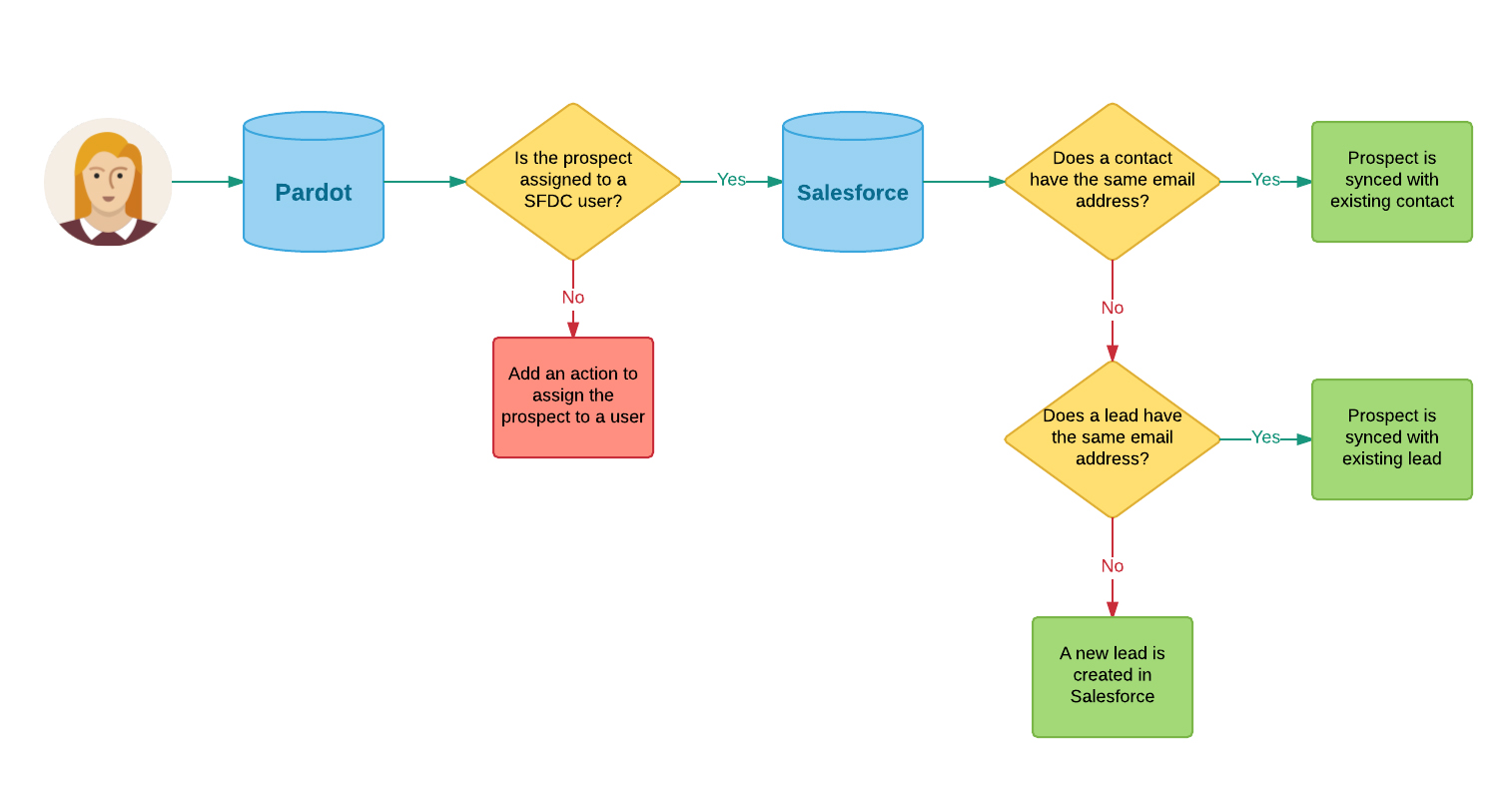
A prospect is synced to Salesforce when the record has been assigned to a user. A user can be assigned using a completion action or by using an automation rule.
Since Pardot uses email address as it’s unqiue identifier, Pardot will check to see if there’s a contact in Salesforce with the same email address and then check if there’s a lead with the same email address. If there’s no email address that matches the prospect in Salesforce, Pardot will create a new lead in Salesforce. This can be illustrated with this flow chart.
Syncing Prospects from Salesforce to Pardot
By default new leads and contacts within Salesforce will not sync over to Pardot automatically. There are 3 ways to sync new leads and contacts from Salesforce to Pardot:
- By clicking the send to Pardot button on the lead or the contact record in Salesforce.
- By manually uploading the lead or contact’s email address into Pardot.
- Enable the option in the Salesforce connector to ‘automatically create prospects if they are created as a lead or contact in Salesforce.com’
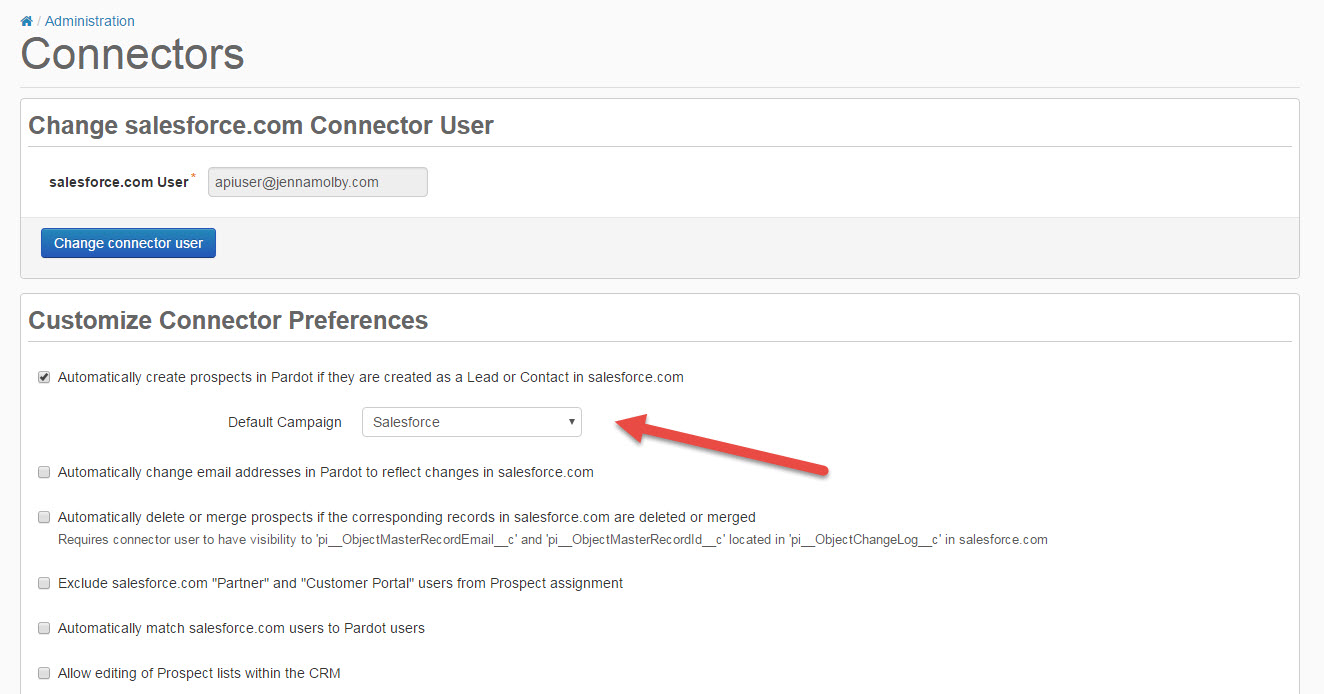
Once the Pardot prospect and the Salesforce lead/contact are connected, Pardot will check for changes in Salesforce every 2 minutes.
Salesforce Campaigns and Pardot Campaigns
Salesforce campaigns do not have a one-to-one relationship with Pardot campaigns. Therefore, once a prospect has been added to a Pardot campaign, they are not automatically added to a Salesforce campaign.
Prospects can be added to a Salesforce campaign using the following methods:
When you set up a rule using one of these methods you will be able to see the action criteria to add to Salesforce campaign.

Mapping Fields Salesforce Fields to Pardot Fields
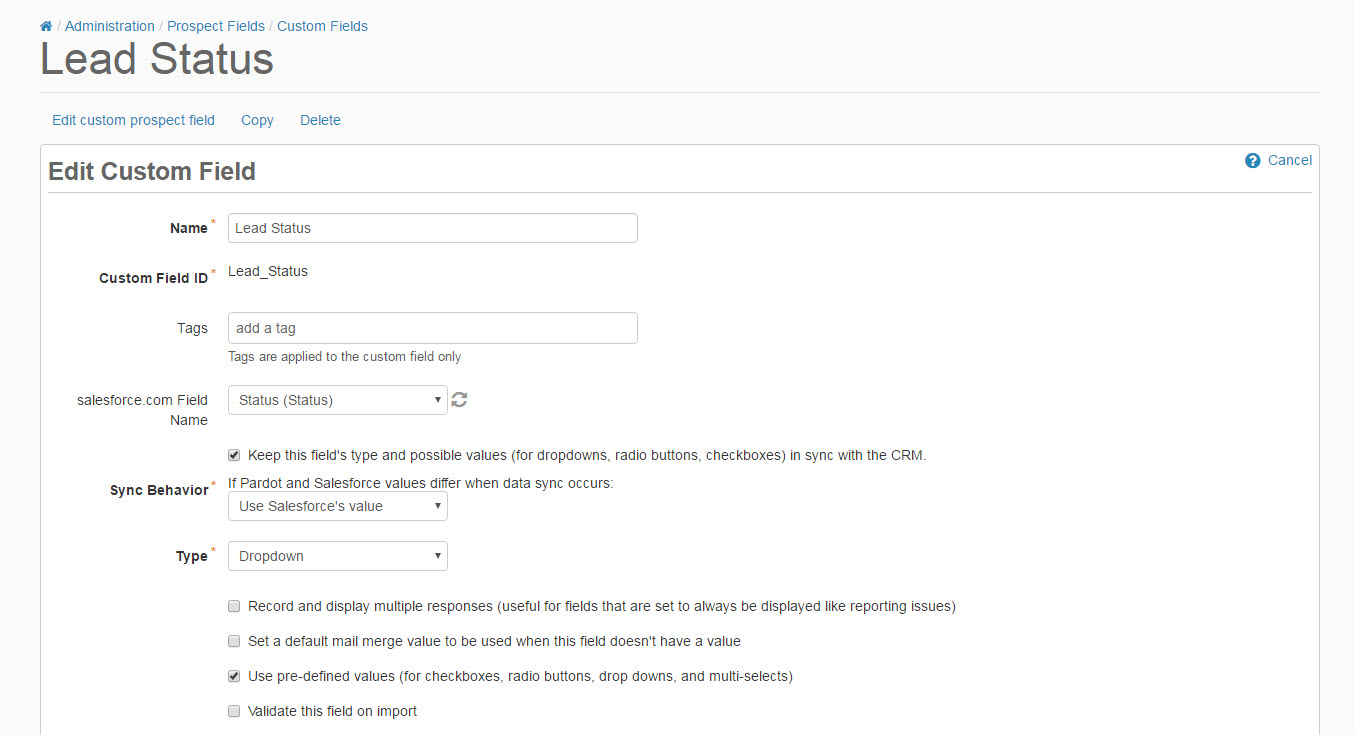
When you verify your Salesforce connector with Pardot, the default fields for leads/contacts and accounts are set up automatically. Any custom fields will need to be created in Pardot and mapped to the corresponding Salesforce field.
Mapping Salesforce Users to Pardot Users
Each Salesforce user will need to be created in Pardot as well, so you can assign Pardot prospects to a sales rep. You can create users in 2 ways:
- Directly in Pardot (Admin > User Management > Users)
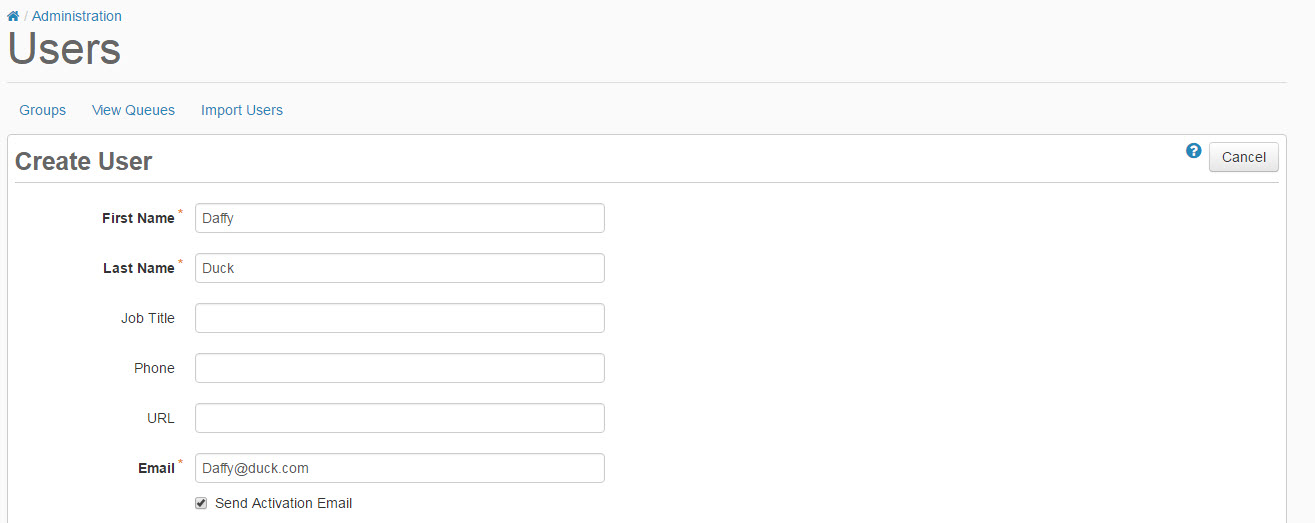
- Uploading a CSV file
Troubleshooting
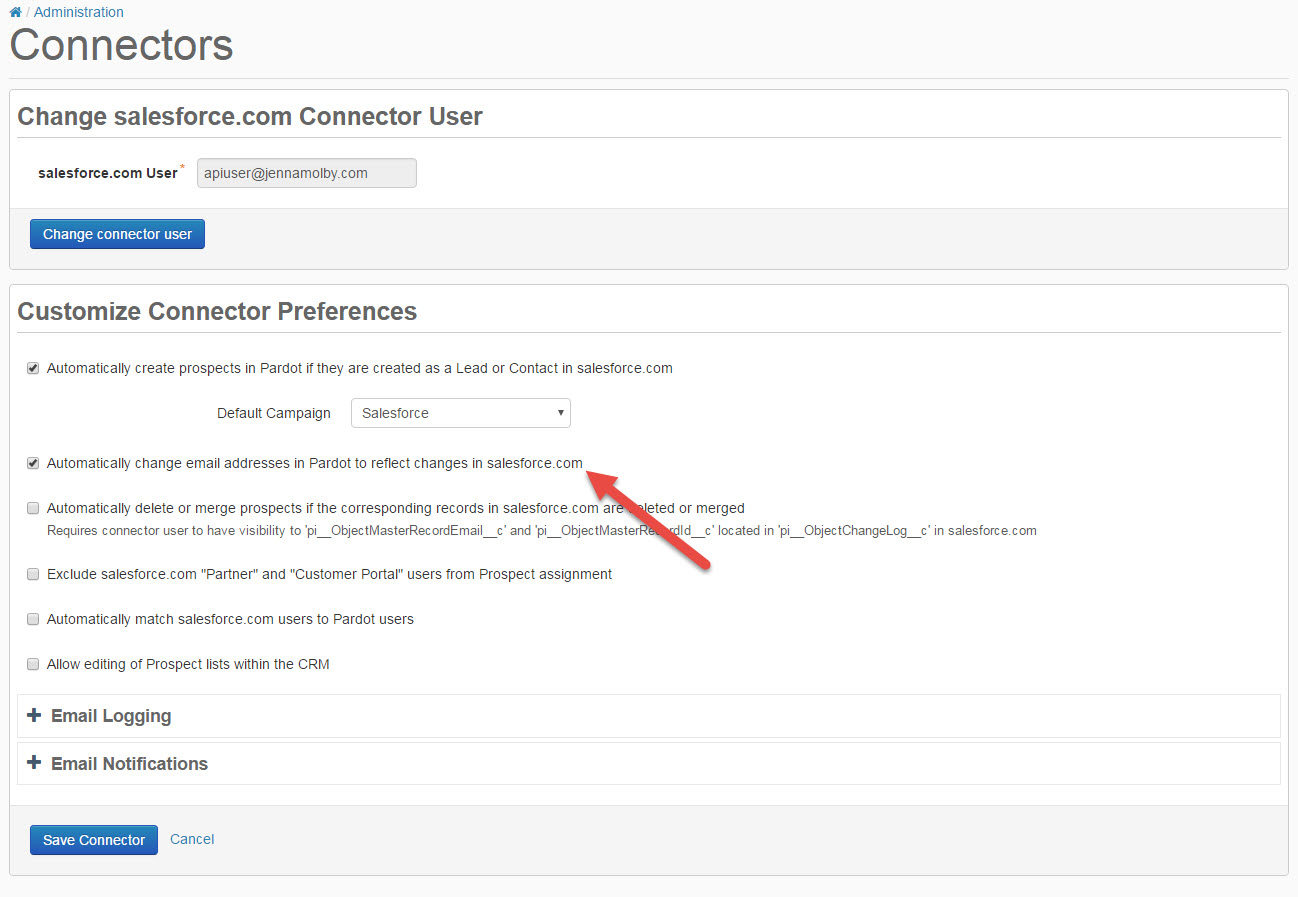
I changed a contact’s email address in Salesforce, but the change isn’t syncing to Pardot.
This is the expected behaviour of the Salesforce connector unless you have the setting Automaticallly change email addresses in Pardot to reflect changes in Salesforce.com enabled under the Salesforce connector settings.
My Prospects aren’t syncing to Salesforce.
First, check to see that there wasn’t an error while syncing the prospects to Salesforce. You can view sync errors by navigating to Admin > Connectors > Sync Errors
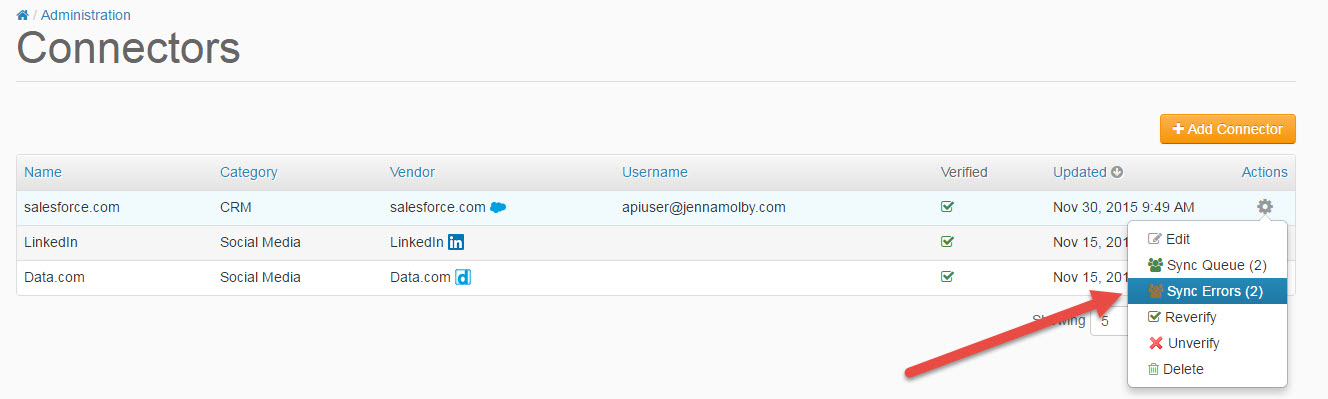
Fix any errors and try syncing the record with Salesforce again.
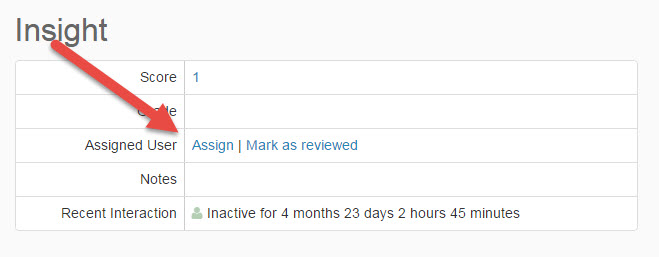
If you have no errors, make sure the record is assigned to a user. You can check this by clicking into the prospect in Pardot and looking for an assigned user under the Insight table.
Do you have Questions about Pardot’s Salesforce Sync?
Send them to me via email, send me a tweet @jennamolby, or leave a comment

6 Comments
Hi!
Thank you for all the awesome content 🙂
This might be a super basic question, but is the “automatically create prospects if they are created as a lead or contact in SalesForce” function retroactive, meaning only leads/contacts created after it is turned on will be synced automatically?
Or will I have to “send to Pardot” or bulk upload email addresses to Pardot?
Best regards,
Agnes
Hi Agnes, Great question! The “automatically create prospects if they are created as a lead or contact in SalesForce” functionality is not retroactive. You will have to do an initial contact import into Pardot.
Thank you so much. This was very informative and helpful.
My contacts are not syncing to Pardot from Salesforce; I have ‘automatically create prospects in Pardot’ checked. Most of our prospects are created in Pardot and then move to Salesforce, except for those that are created through a TargetX application – these should be pushed from Salesforce to Pardot. Any ideas?
Hi There- Thanks for the article! The issue I’m having is that new prospects in pardot are not creating leads in salesforce. Is there a way to create a lead no matter what every time? Right now our sales team isnt getting notified of new leads if there is a contact in salesforce and its a major problem because leads are slipping through the cracks. Thanks!
Yes, I agree with you. thanks for sharing this topic. This is so informative and effective. I am searching this type of post and luckily found your one.